
When it comes to improving your website’s SEO, most WordPress users focus on keywords, backlinks, and content optimization — but often overlook one of the most powerful tools built right into their site: categories.
Categories are more than just a way to organize blog posts; they form the backbone of your website’s structure. Used strategically, they help search engines understand the hierarchy of your content, improve crawlability, and strengthen your site’s topical authority. For readers, well-planned categories create a smoother, more intuitive navigation experience — helping them find exactly what they’re looking for without confusion.
However, when categories are misused — such as having too many, overlapping, or poorly named ones — they can harm your SEO instead of helping it. Search engines might struggle to understand your site’s focus, and visitors could get lost in a maze of poorly organized content.
In this guide, we’ll break down how to use categories properly in WordPress for SEO — from planning your site structure and optimizing category pages to avoiding common mistakes that weaken rankings. Whether you’re starting a new blog or refining an existing one, mastering WordPress categories is essential for building a strong foundation that supports long-term SEO success.
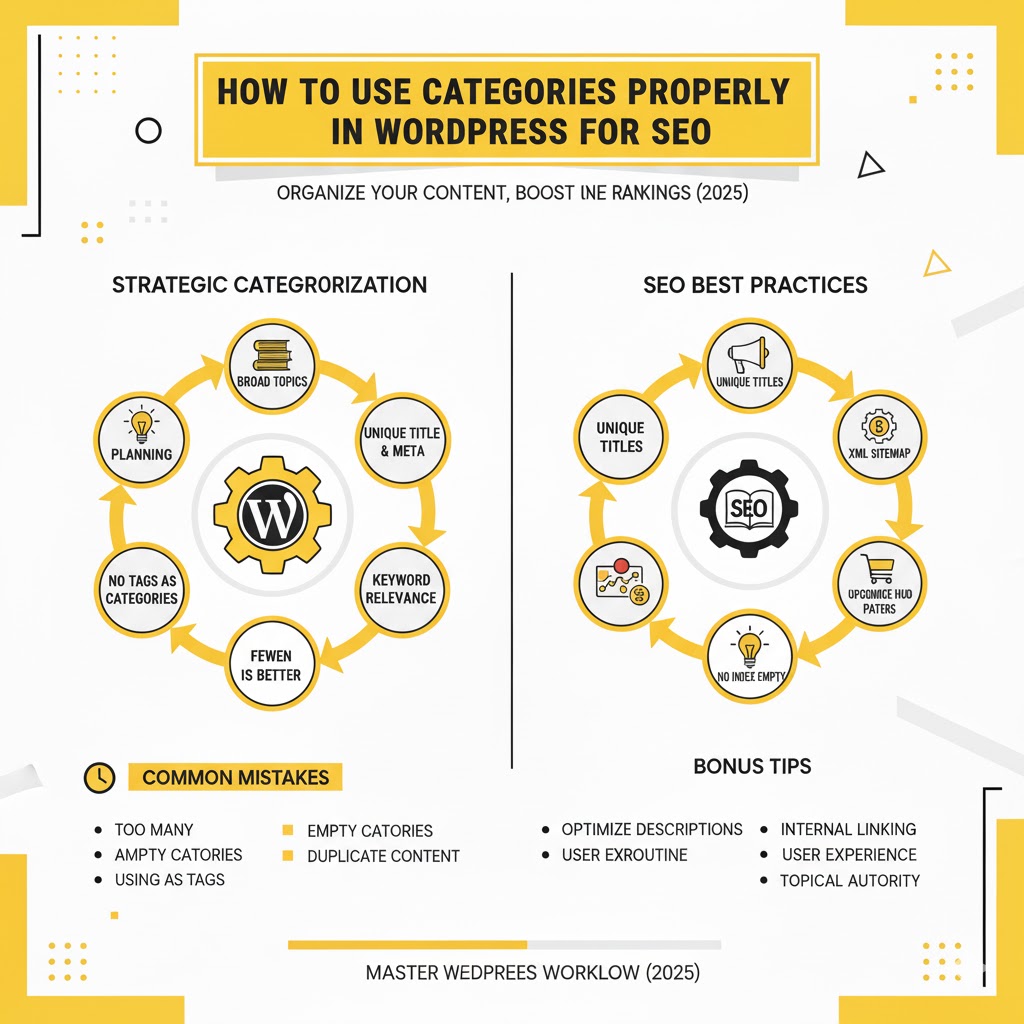
How to Use Categories Properly in WordPress for SEO
Introduction
When it comes to WordPress SEO, most people focus on keywords, backlinks, or content optimization. But there’s one powerful yet often overlooked tool that can significantly improve your site’s structure, crawlability, and rankings—WordPress categories.
Categories are more than just a way to organize your posts; they play a vital role in helping both search engines and visitors understand the structure and hierarchy of your website. Used correctly, categories enhance your site’s user experience (UX), improve content discoverability, and make it easier for Google to understand what your site is all about.
However, when used incorrectly—by having too many, overlapping, or unoptimized categories—they can confuse search engines, dilute SEO power, and lead to poor user navigation.
This comprehensive guide will teach you exactly how to use categories properly in WordPress for SEO. We’ll cover everything from understanding category basics to advanced optimization strategies, helping you build a strong site architecture that boosts visibility and drives traffic.
Chapter 1: Understanding WordPress Categories
1. What Are Categories in WordPress?
In WordPress, categories are a built-in taxonomy used to group related posts together. Think of them as broad folders that help organize your content by topic.
For example, if you have a blog about digital marketing, your categories might include:
- SEO
- Content Marketing
- Social Media
- Email Marketing
- Paid Advertising
Each category groups related articles together, creating a logical content structure that benefits both users and search engines.
2. Categories vs. Tags — What’s the Difference?
Many WordPress users confuse categories and tags, but they serve different purposes:
| Feature | Categories | Tags |
|---|---|---|
| Purpose | Broadly organize posts by main topics | Describe specific details or keywords related to a post |
| Hierarchy | Hierarchical (can have parent and child categories) | Non-hierarchical (no parent-child structure) |
| SEO Role | Helps create topic clusters and structure | Helps link related content |
| Example | Category: “SEO” | Tag: “on-page optimization,” “backlinks,” “keyword research” |
In short, categories define the overall theme, while tags fine-tune the details.
3. Why Categories Matter for SEO
Categories do far more than organize your content visually—they directly influence your SEO performance in several key ways:
- Improve Crawlability: Categories help search engines discover and index your posts efficiently.
- Strengthen Topical Authority: Well-structured categories show Google you’re an expert in specific topics.
- Enhance Internal Linking: Category pages link related content, passing link equity throughout your site.
- Better User Experience: Visitors can easily find what they’re looking for, lowering bounce rates and increasing time on site.
In essence, categories build the foundation of your website’s SEO architecture.
Chapter 2: Planning Your WordPress Categories Strategically
Before you start creating categories randomly, it’s essential to plan your structure carefully. Poorly planned categories can hurt your SEO more than help it.
1. Define Your Blog’s Core Topics
Start by identifying the main topics your website covers. These should represent your business focus, niche, or content pillars.
Example:
If you run a food blog, your main categories might include:
- Recipes
- Nutrition Tips
- Cooking Techniques
- Product Reviews
Each category becomes a central hub for related posts, strengthening your topical depth.
2. Limit the Number of Categories
More isn’t always better. Having too many categories can dilute your SEO power and confuse visitors.
Best Practice:
Aim for 5 to 10 main categories at most. Each should be distinct, with multiple posts supporting it.
Avoid:
- Creating a new category for every post
- Having categories with only one or two posts
- Using overlapping categories (like “SEO” and “Search Engine Optimization”)
3. Use Hierarchical Structure Wisely
WordPress allows parent and child categories. Use this feature to create a clear content hierarchy.
Example:
- SEO (Parent Category)
- On-Page SEO (Child Category)
- Off-Page SEO (Child Category)
- Technical SEO (Child Category)
This hierarchy helps Google understand the relationship between your topics and subtopics, reinforcing your site’s topical relevance.
4. Align Categories with User Intent
Your categories should align with what users are searching for. Think of them as gateways to your most valuable content.
Ask yourself:
- What topics are my readers most interested in?
- What information do they expect under each category?
- How can I make each category valuable on its own?
When categories align with user intent, your site becomes easier to navigate and more SEO-friendly.
Chapter 3: Creating SEO-Friendly Category Pages
One of the biggest mistakes bloggers make is ignoring category pages. By default, WordPress creates an archive page for each category, but few optimize it properly.
An optimized category page can act as a pillar page that ranks for high-level keywords and drives consistent traffic.
1. Write Unique Category Descriptions
Each category page should include a short, keyword-optimized description that tells users and search engines what the section is about.
Example (for “SEO” Category):
“Explore expert guides and actionable tips on SEO, including keyword research, on-page optimization, link building, and more. Learn how to improve your search rankings and drive organic traffic.”
This brief intro helps:
- Provide context for Google
- Engage users with relevant information
- Reduce duplicate content issues
2. Optimize Category Page Titles and Meta Descriptions
Use your SEO plugin (like Yoast or Rank Math) to write custom meta titles and descriptions for each category.
Example:
- Meta Title: SEO Tips & Guides | Master Search Engine Optimization
- Meta Description: Discover proven SEO strategies, tutorials, and tools to boost your website rankings and organic traffic.
Optimized metadata increases your category page’s click-through rate (CTR) in search results.
3. Use SEO-Friendly Category Slugs
Category slugs (URLs) should be short, descriptive, and keyword-rich.
Example:
- Bad: yoursite.com/category/1234/
- Better: yoursite.com/category/seo/
Avoid using stop words like “and,” “the,” or “of.” Keep it simple and consistent.
4. Display Useful Content on Category Pages
Instead of showing a bland list of posts, enhance your category pages with:
- A featured image or header banner
- A short introduction paragraph
- Links to subcategories or top posts
- Related guides or CTAs (like newsletter signup)
This makes your category pages engaging and helps keep users on your site longer.
5. Avoid Duplicate Content
By default, category pages and post pages may share similar excerpts or content. To prevent SEO issues:
- Use unique category descriptions
- Limit the number of posts displayed per page
- Use canonical tags if necessary (handled by SEO plugins)
Chapter 4: Internal Linking and Category Structure
Proper category use strengthens your internal linking structure—a key element of on-page SEO.
1. Use Categories to Build Content Silos
A content silo groups related posts under one category to build authority around a topic.
Example:
- Category: “Content Marketing”
- Post 1: “Content Strategy 101”
- Post 2: “How to Write Engaging Blog Posts”
- Post 3: “Measuring Content Performance”
Google then recognizes your “Content Marketing” category as a thematic hub, improving rankings for all posts under it.
2. Link Between Related Posts
When writing new articles, link to other posts within the same category. This strengthens the relationship between them and helps search engines discover content faster.
Example:
If you write a post on “Keyword Research Tools,” link to another in the same “SEO” category like “How to Choose Keywords for Your Blog.”
3. Use Category Pages as Internal Linking Hubs
Add links to important resources or cornerstone posts on your category pages. This helps distribute link equity and improve rankings for deeper content.
Chapter 5: Common Category SEO Mistakes to Avoid
Many WordPress users unknowingly harm their SEO by mismanaging categories. Avoid these common pitfalls:
1. Having Too Many Categories
Each category should have multiple posts under it. Empty or thin categories hurt both usability and SEO.
2. Using Categories as Tags
Categories are for broad topics, while tags are for specifics. Mixing them leads to redundancy and confusion.
3. Not Optimizing Category Pages
Ignoring meta titles, descriptions, or on-page content makes your category archives SEO dead zones.
4. Changing Category URLs Frequently
Once set, don’t change category slugs unnecessarily—it can lead to broken links or 404 errors.
5. Overlapping or Duplicate Categories
Avoid having similar categories like “SEO Tips” and “Search Optimization.” Consolidate them under one clear category.
Chapter 6: Advanced Category SEO Techniques
Once you’ve mastered the basics, take your category optimization to the next level with these advanced strategies.
1. Use Breadcrumb Navigation
Breadcrumbs show the path of a page within your site’s structure, such as:
Home > SEO > On-Page SEO
They help users navigate and provide Google with hierarchical context.
Most SEO plugins or WordPress themes allow you to add breadcrumbs easily.
2. Implement Schema Markup
Adding schema markup to your category pages can enhance how they appear in search results. Some SEO plugins handle this automatically.
Benefits:
- Richer search snippets
- Better CTR
- Clearer topical relevance
3. Create “Pillar” Category Pages
Treat each main category like a pillar page—a comprehensive guide linking to subtopics or related posts.
For example:
- Pillar Page: “Ultimate Guide to SEO”
- Linked Posts: “On-Page SEO,” “Technical SEO,” “Local SEO,” “Link Building,” etc.
This strategy helps Google associate your category with authority and depth.
4. Optimize Pagination and Navigation
If a category has many posts, use pagination (Page 1, Page 2, etc.) instead of long endless lists. This ensures better crawlability and user experience.
Make sure canonical tags are properly set to avoid duplicate content.
5. Use Noindex for Low-Value Categories
If you have thin or irrelevant categories (like archives with few posts), set them to noindex to prevent them from showing in search results.
This keeps your site’s SEO signals clean and focused.
Chapter 7: Category Maintenance and Long-Term Strategy
Just like content, categories need regular maintenance to stay effective for SEO.
1. Audit Categories Regularly
Every few months, review your category structure:
- Are any categories empty?
- Are there overlaps?
- Are posts evenly distributed?
Merge, rename, or delete categories as needed to maintain a clean architecture.
2. Merge Thin Categories
If two categories have few posts and cover similar topics, merge them into one stronger category. This helps consolidate authority and reduce content fragmentation.
3. Redirect Deleted Categories
If you delete a category, make sure to set up 301 redirects to avoid broken links and preserve SEO value.
4. Update Category Descriptions Over Time
As your blog evolves, refresh your category descriptions to reflect new keywords or focus areas.
Chapter 8: Real-World Example of Category Optimization
Let’s imagine a website about “Digital Marketing.”
Before Optimization:
- 20 categories
- Duplicate or vague names
- Empty archives
- Unoptimized category pages
After Optimization:
- 6 main categories:
- SEO
- Content Marketing
- Social Media
- Paid Ads
- Email Marketing
- Analytics
Each category has:
- 10+ posts
- Unique description and meta tags
- Internal links to subtopics
- Pillar-style category pages
Result:
- Improved crawlability
- Higher topical authority
- Better keyword rankings
- Increased organic traffic
Chapter 9: Categories vs. Tags for SEO — The Final Verdict
Both categories and tags play roles in WordPress SEO, but categories carry more structural importance.
| Feature | Categories | Tags |
|---|---|---|
| Purpose | Organize main topics | Highlight details |
| Hierarchy | Parent-child structure | Flat structure |
| SEO Value | High (affects site structure) | Medium (helps related linking) |
| Optimization Needed | Yes | Optional |
| Ideal Quantity | 5–10 | 10–20 per site |
In short:
Use categories to structure your content and tags to enhance discoverability—but never overuse either.
Chapter 10: Final SEO Tips for Categories
To wrap up, here are some final best practices for using WordPress categories effectively for SEO:
- Keep category names short, relevant, and keyword-rich.
- Always write unique category descriptions.
- Avoid duplicate category and tag names.
- Use breadcrumbs to reinforce structure.
- Optimize category pages as mini landing pages.
- Regularly audit and refine your category system.
- Don’t forget to interlink posts within the same category.
- Noindex empty or low-value categories.
- Create pillar-style category pages for key topics.
- Track performance in Google Search Console to measure results.
Conclusion
Categories are not just about organizing content—they are the backbone of your WordPress SEO strategy. When structured strategically, optimized properly, and maintained consistently, they create a logical, search-friendly website that Google and readers love.
Think of each category as a mini website within your site, representing a key area of expertise. By applying the techniques in this guide—planning your categories thoughtfully, optimizing category pages, and maintaining internal linking—you’ll strengthen your site’s SEO foundation and drive more organic traffic.
A well-structured website tells search engines exactly what you’re about. And when Google understands your content, ranking higher becomes far easier.
So take the time today to review your WordPress categories, refine their structure, and turn them into powerful SEO assets that work for you—not against you.